The file manager your Mac should have shipped with.
Two panes and the whole keyboard: copy, compare, compress, batch-rename, step into a zip or connect to a server — without opening another app. And every copy checked byte for byte, so deleting the original isn't an act of faith.
 ⌘→
⌘→
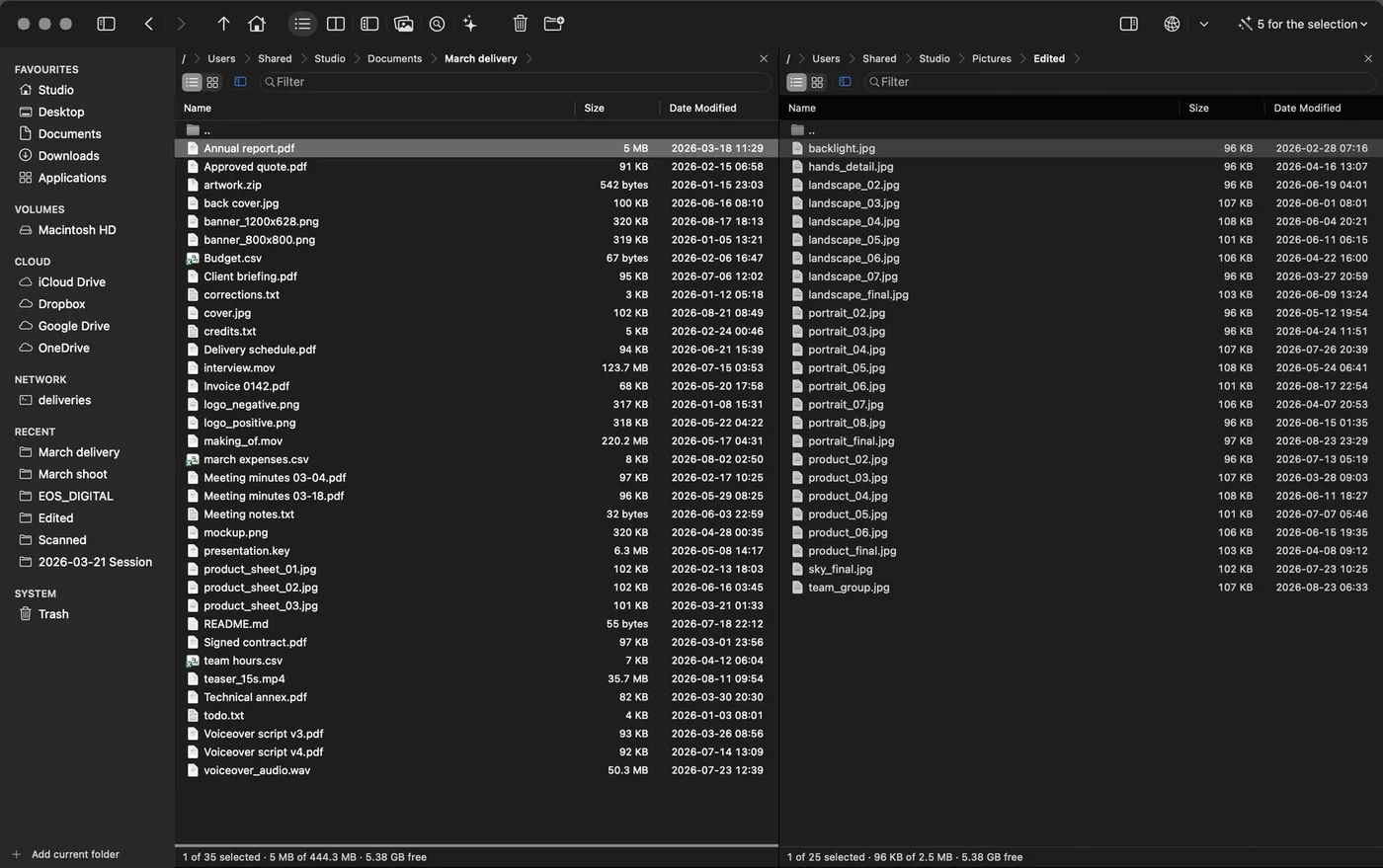
01Both panels
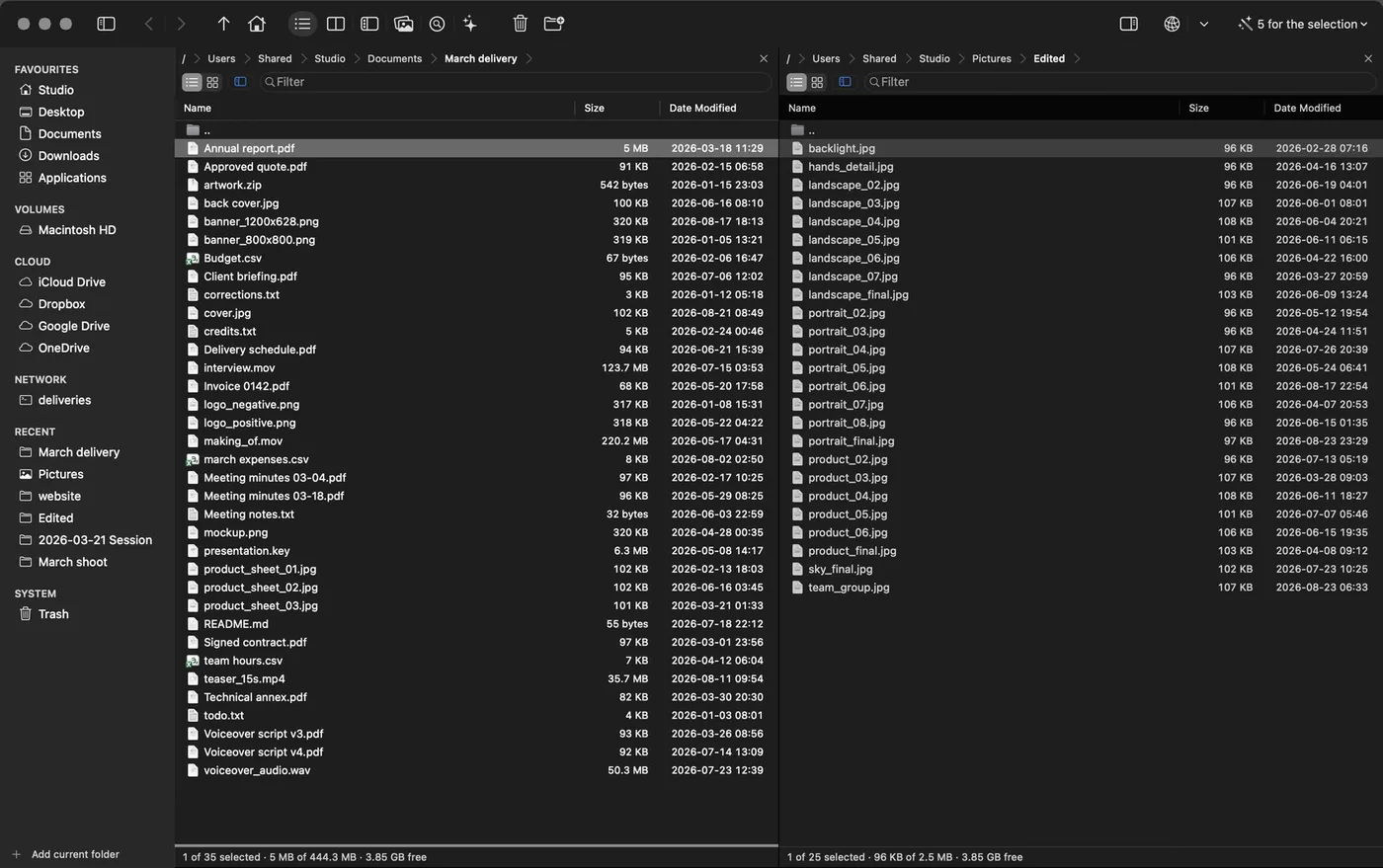
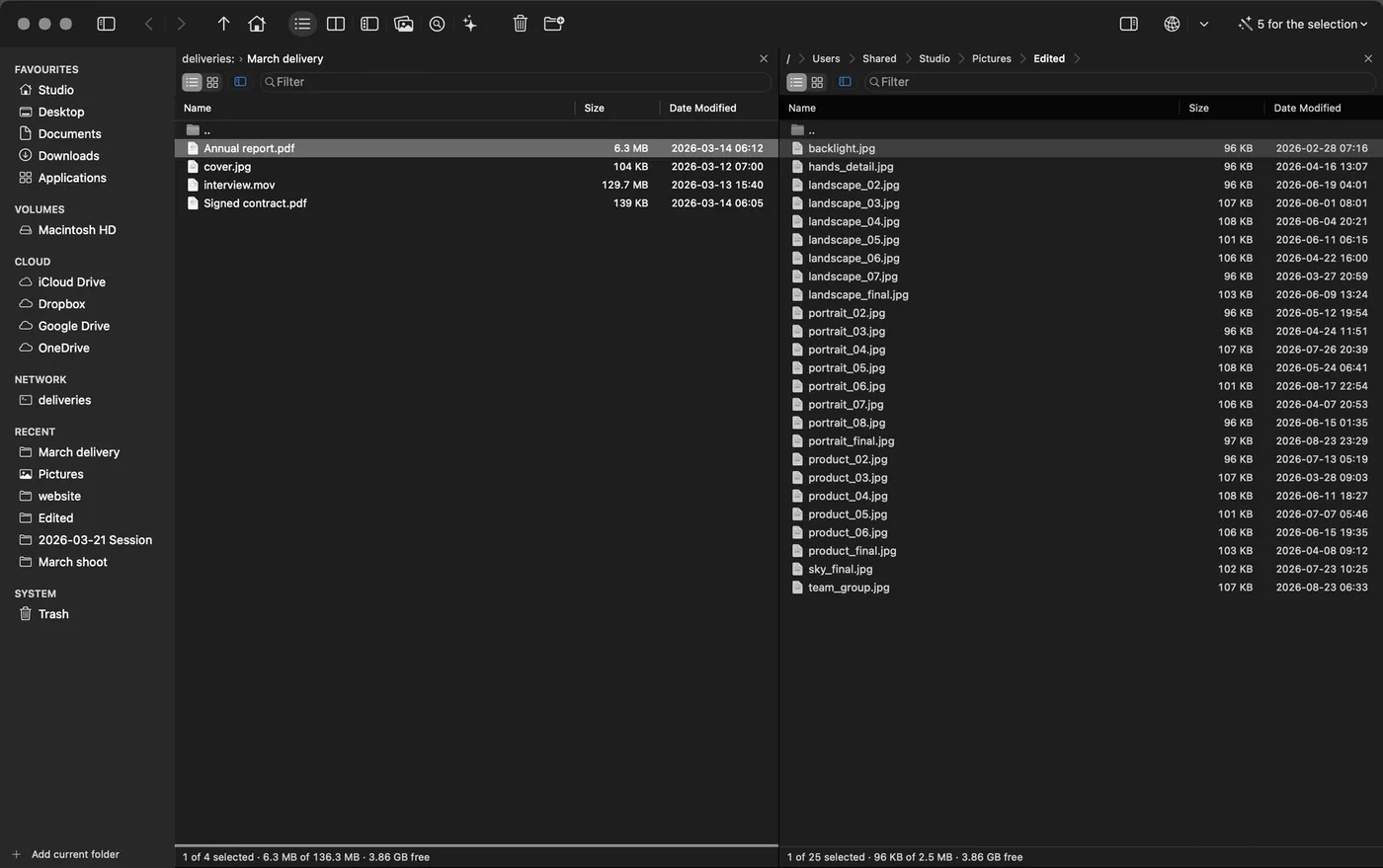
⌘→ copies to the panel opposite.
Where from and where to, on screen at the same time. ⇧⌘→ moves, ⇥ switches sides.
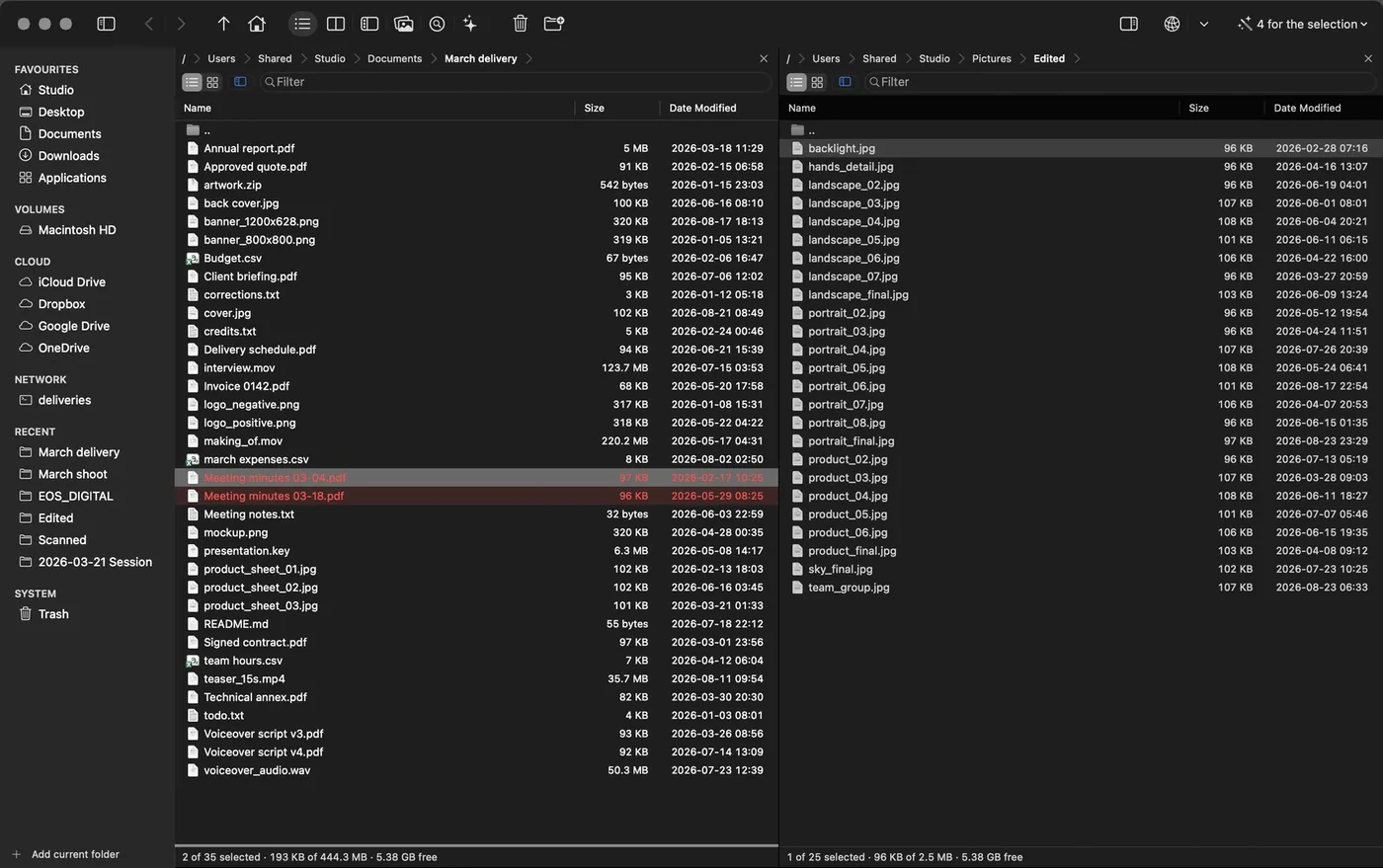
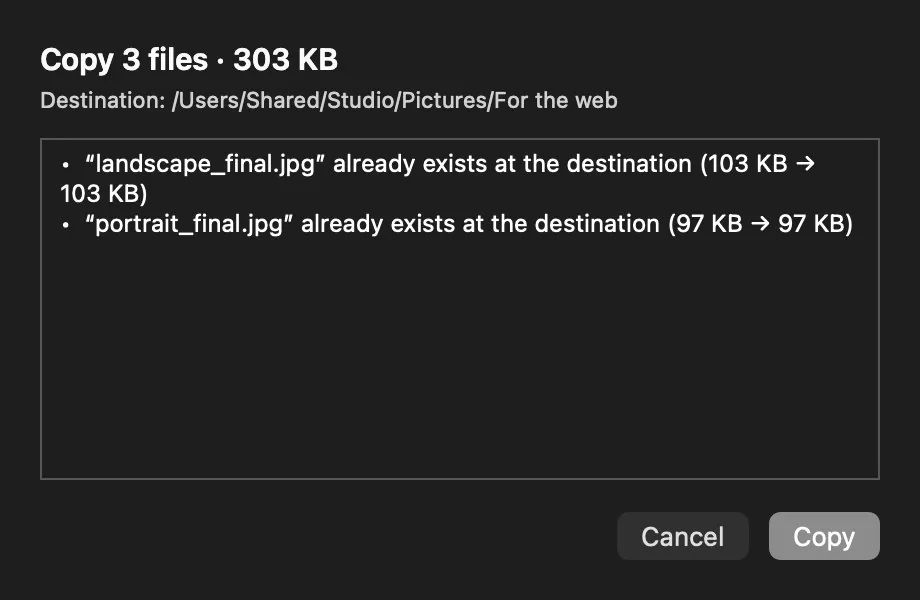
02Before writing
It tells you what is about to happen.
How many files, how much they weigh and what gets overwritten — before a byte is touched.
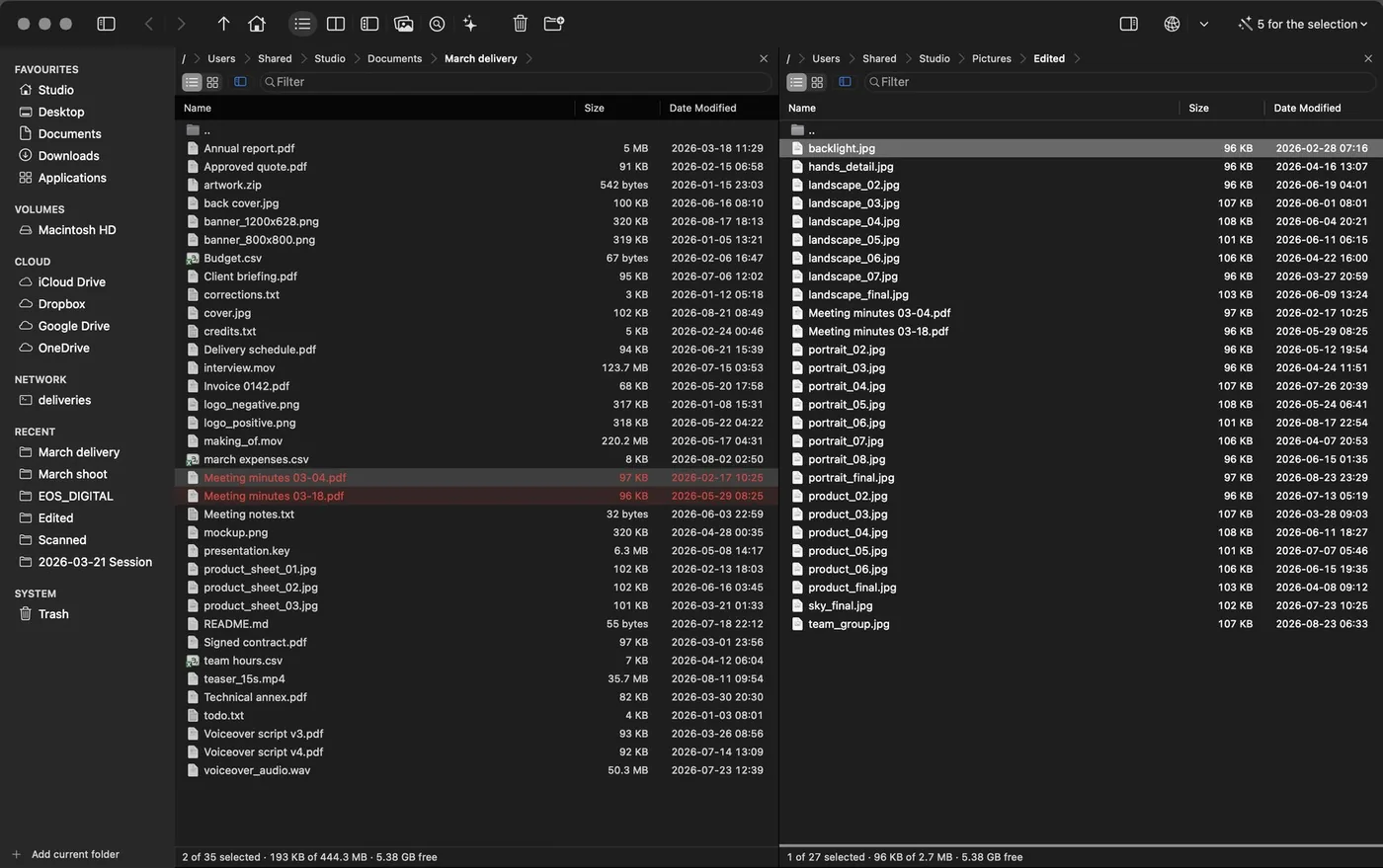
03Afterwards
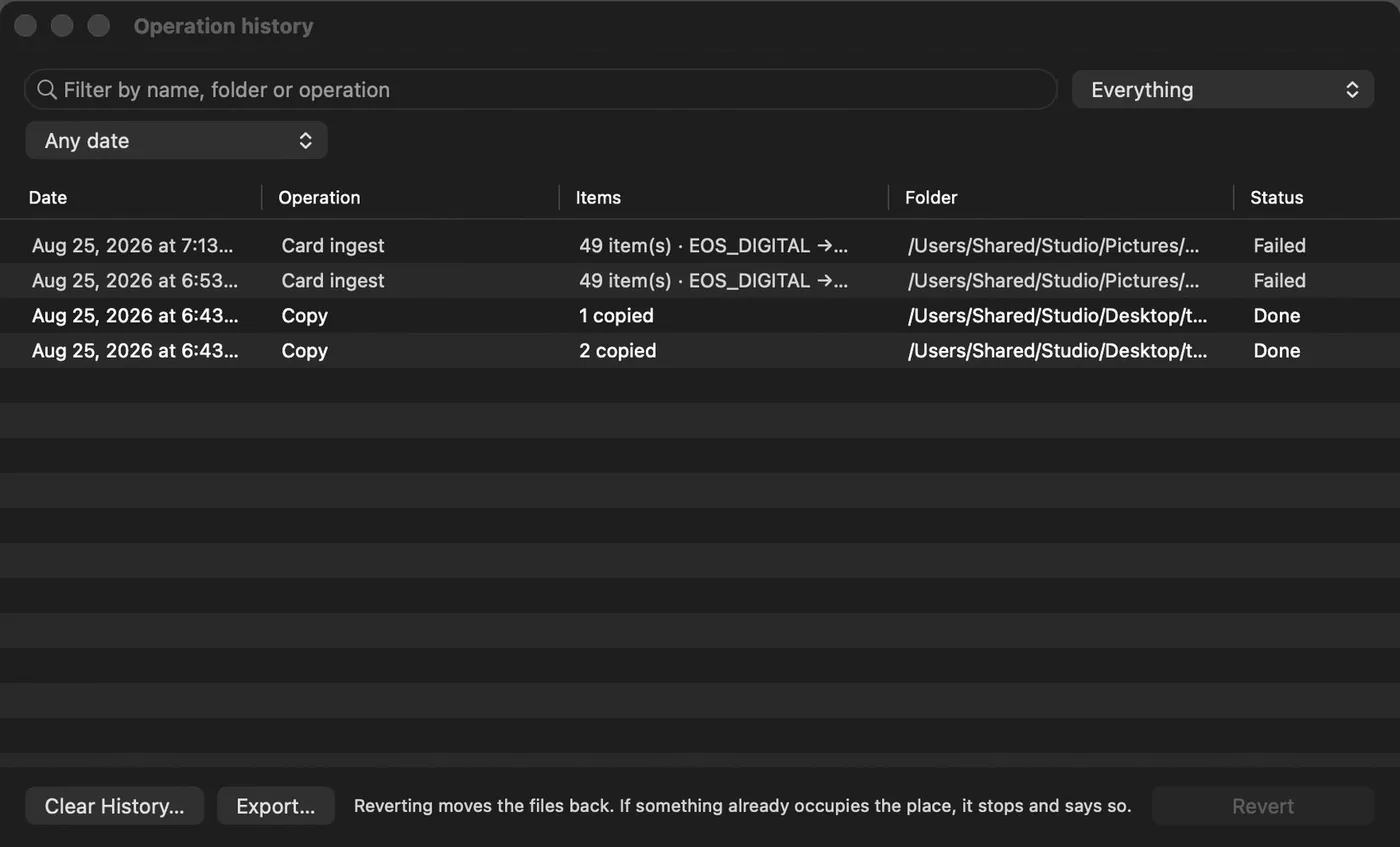
Everything is written down.
Every operation with its time and its outcome, and ⌘Z to undo it.
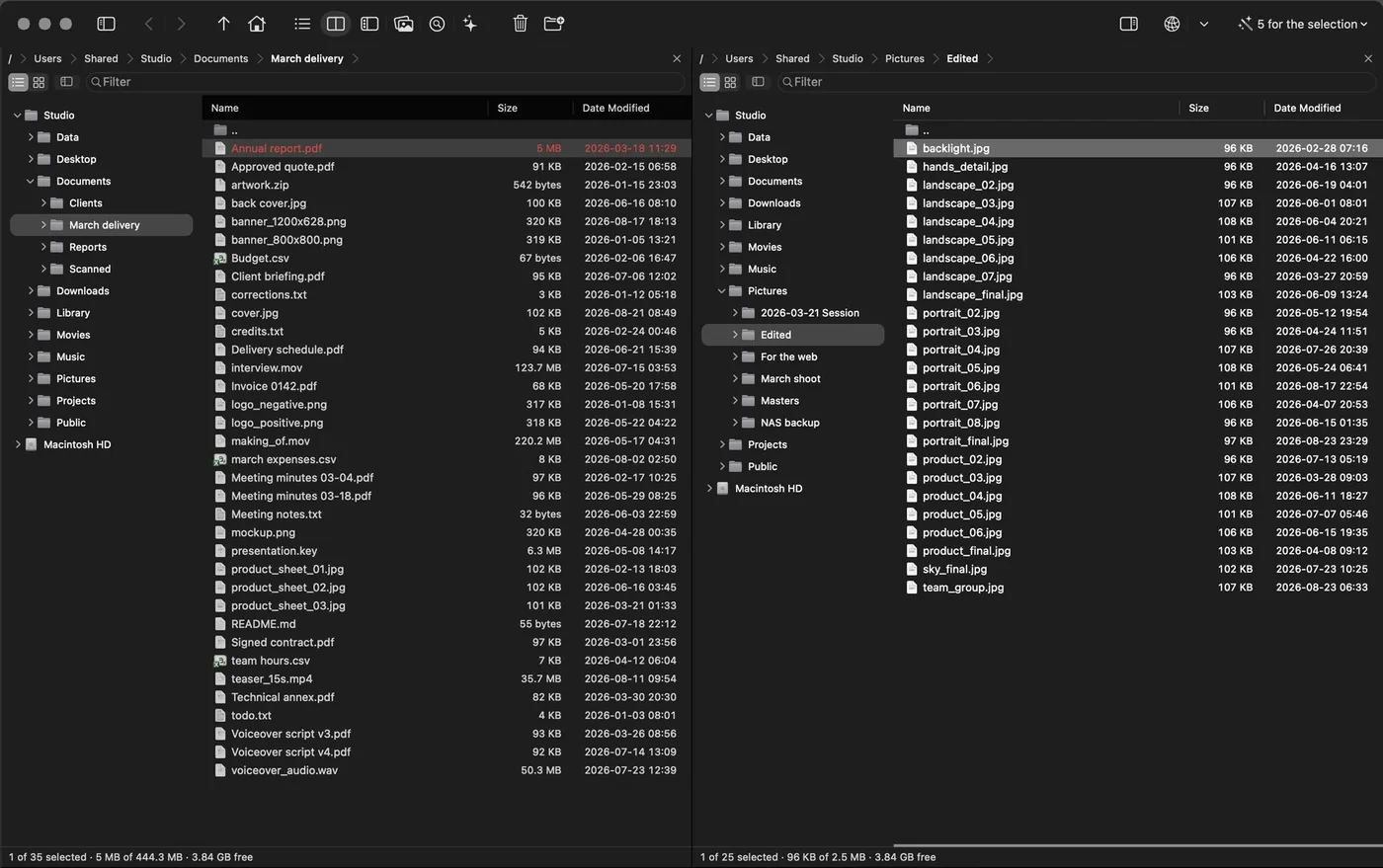
04Modes
The window rearranges itself for the job.
Six modes that take away what is in the way and hand it all back when you leave.
05Search
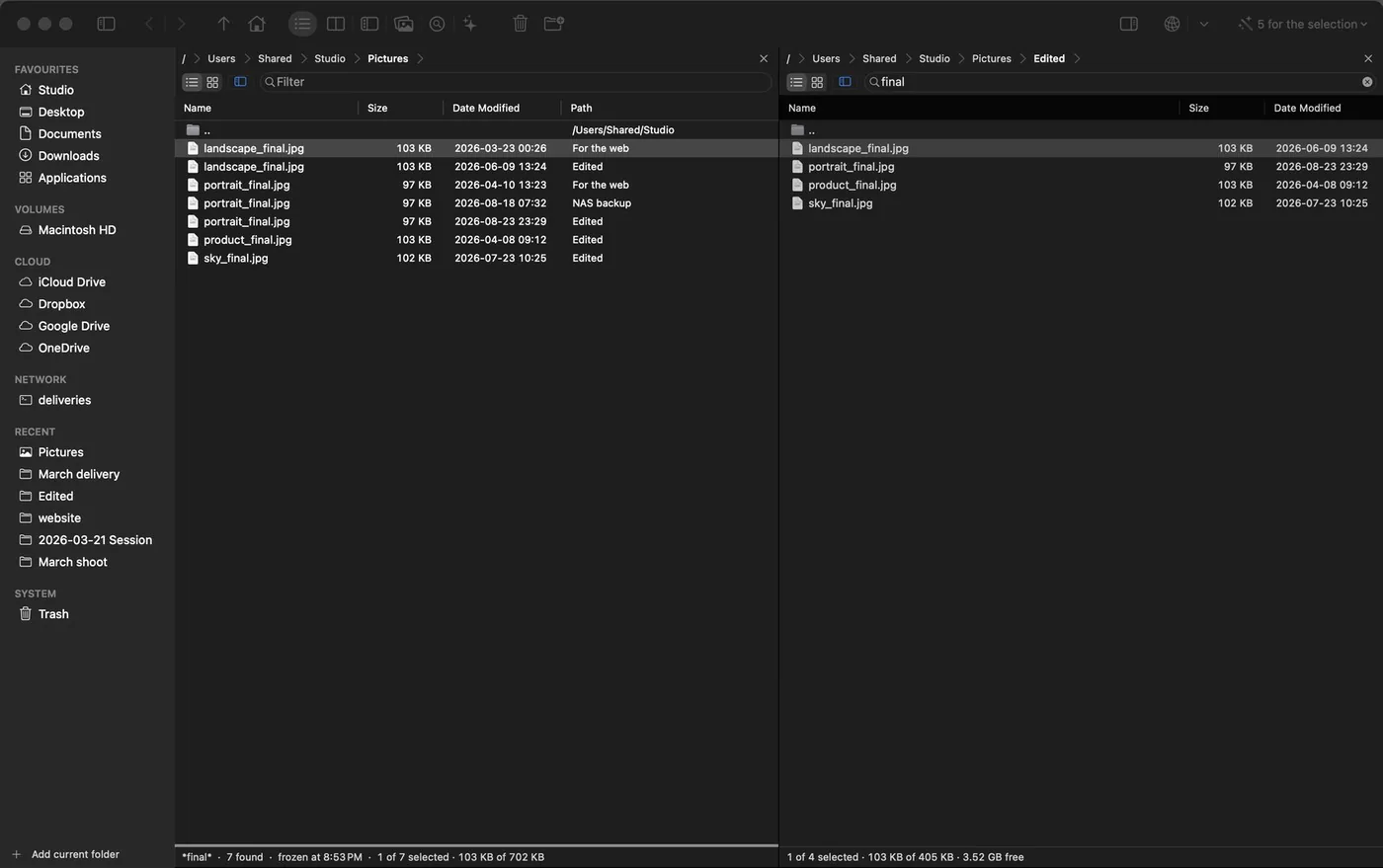
Search, then act on what you found.
Results land in the panel: copy them, compress them, rename them.
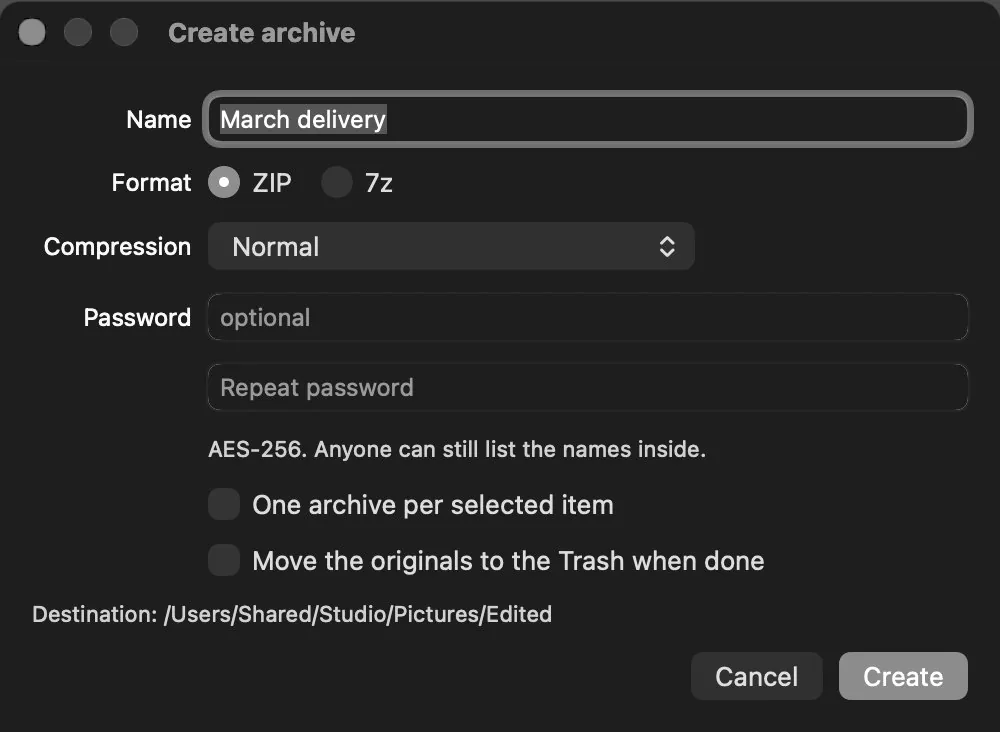
06Archives
A zip is just another folder.
zip, 7z, tar, rar. Walk in, take what you want, and it leaves through the same queue.
07Network
Your server, just another panel.
SFTP, SMB, FTP and S3 are walked exactly like the disk beside them.
08Keyboard
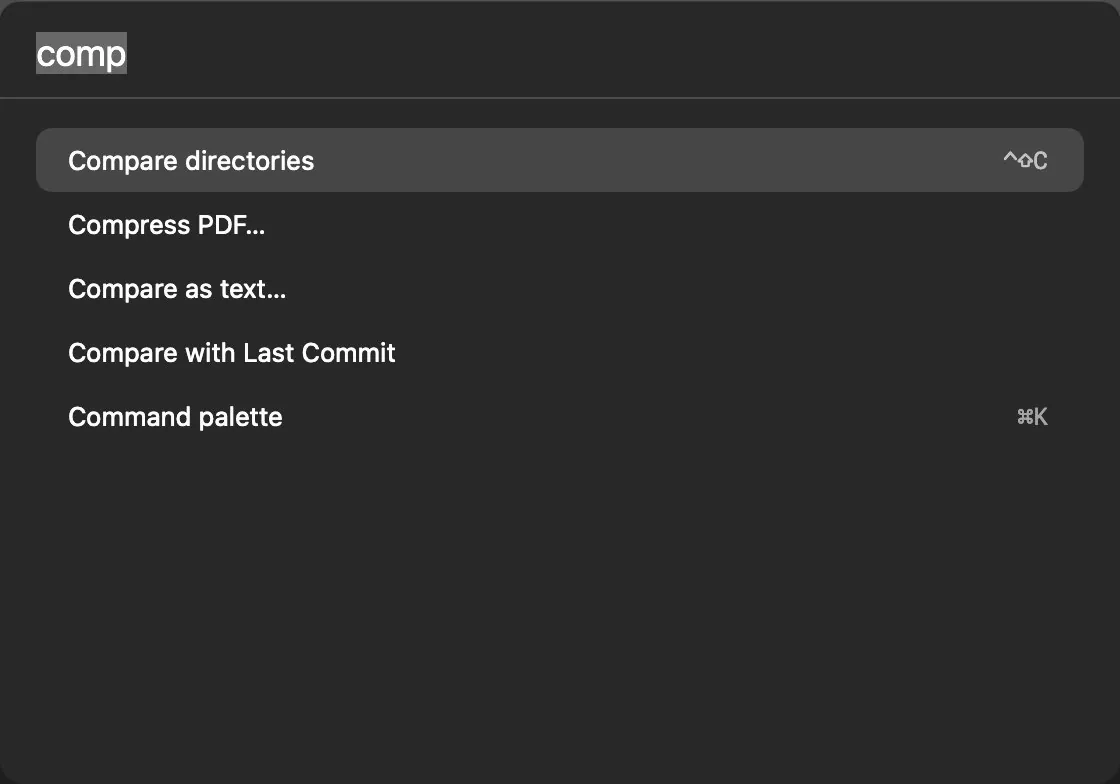
Without letting go of the keyboard.
⌘K finds any command by its name. Every shortcut can be reassigned.
09In bulk
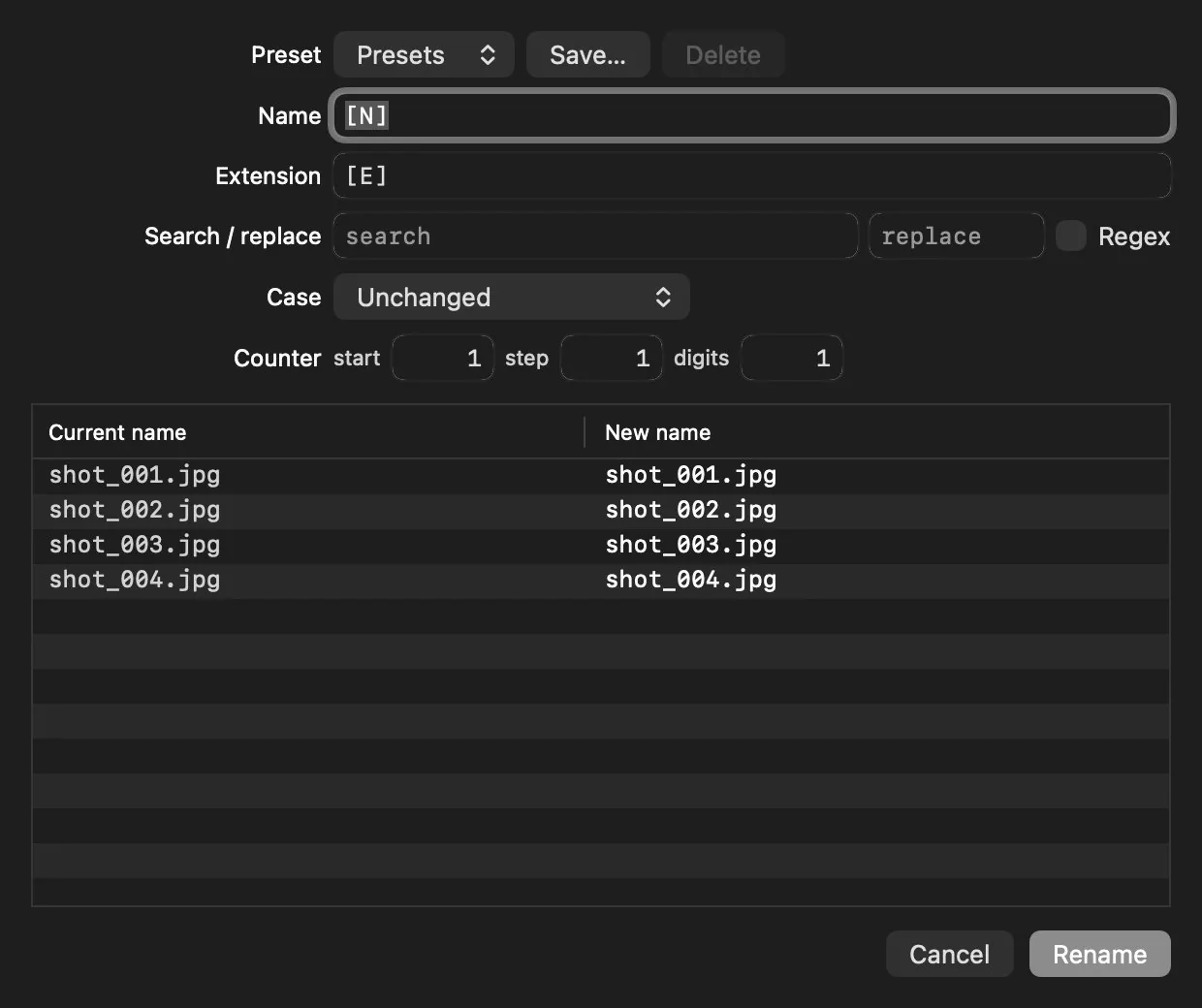
Hundreds of files at once.
The before-and-after table, in full, before a single one is touched.
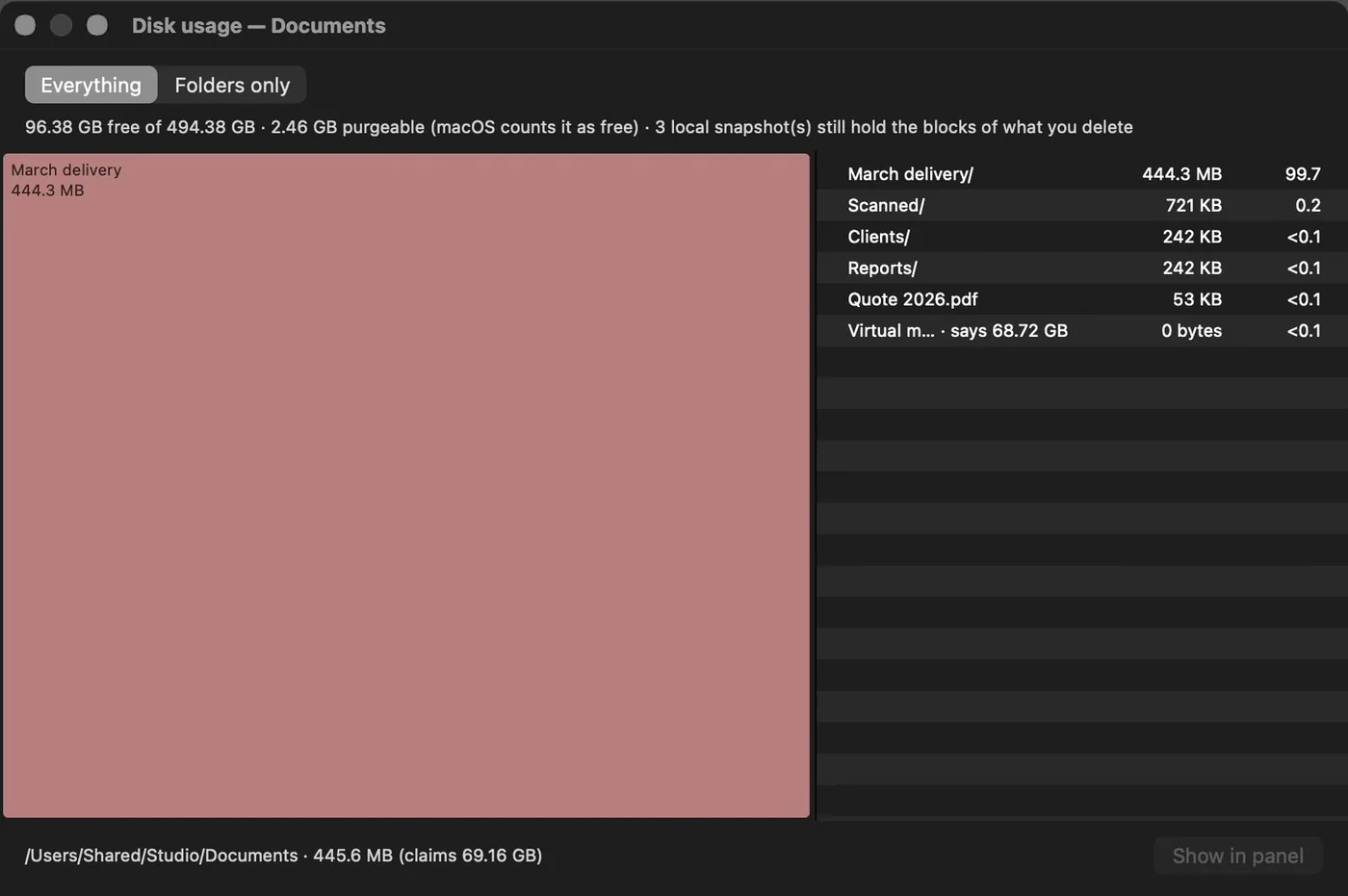
10Space
What is filling your disk.
Real bytes, not the ones a file claims: the Docker disk image says 64 GB and occupies 17.
11Undo that means it
What the app did, the app can give back.
⌘Z reverts the last file operation, not the last line of text. And underneath there is a log that survives quitting the app: what you moved the day before yesterday is still there, with its date, its folder and how many items it touched.
It records everything the app does to your files, not only what can be undone: what went to the Trash and what was deleted for good, the cards you ingested, archives packed and unpacked, permissions you changed, your own commands, the Trash emptied — and what failed too, because «why is this file not here?» is exactly the question a record exists to answer.
Search it by whatever you remember — a name, a folder, the name of the operation, even the date — and narrow it by kind of action (moved, removed, created, changed inside) and by date: today, yesterday, the last seven or thirty days, this year, or between two dates you pick. And what you are looking at exports to CSV or JSON, filters included.
Reverting moves the files back where they were. If something already occupies the spot, it stops and tells you — no revert causes the damage it came to repair.
If the files changed after that operation, the app warns you before reverting: the world moved on, and reverting blind doesn't restore what you think it does.
It keeps the last 5,000 operations, it is local and never leaves your Mac, and the «Clear History» button is in the same window: the record is yours and empties when you say so, without touching a single file.
Revert puts the files back where they were, even from the day before yesterday.
12Numbers
Numbers, and how they were measured.
Anyone can write “fast” and “light”. These are the figures behind those words, each with the note that says on which machine and with what it was obtained — and all four can be reproduced without asking us for permission.
to list a folder of 50,000 files. Scrolling smoothly, and not a laboratory number: it is the same listing you get when you walk into the folder.
third-party dependencies. The executable links against system frameworks and nothing else. Nothing to update, nobody else's code to audit.
automated tests that run before every release. Including the ones that fail when a feature is left without a page of help.
to download. No installer, no background components, no privileged helpers: an app you drag into Applications.
- Best of three listings of 50,000 files on a MacBook Pro with Apple M3 Pro and macOS 26.5, measured by the performance50k test that runs on every release. The project's criterion is “under one second”; this measurement came out at 0.912 s. A slower Mac or an external disk will give you a different figure.
- Checkable on your own machine before you buy: otool -L on the executable lists only libraries from /usr/lib and /System/Library.
- The repository's suite as of the published version: 1,239 tests in 200 groups. It is a measure of discipline, not of the absence of bugs — no number of tests proves a program has none.
- Size of the signed DMG. Installed it takes about 25 MB, most of it icons and the two translations.
13Trust
What you can check without seeing the code.
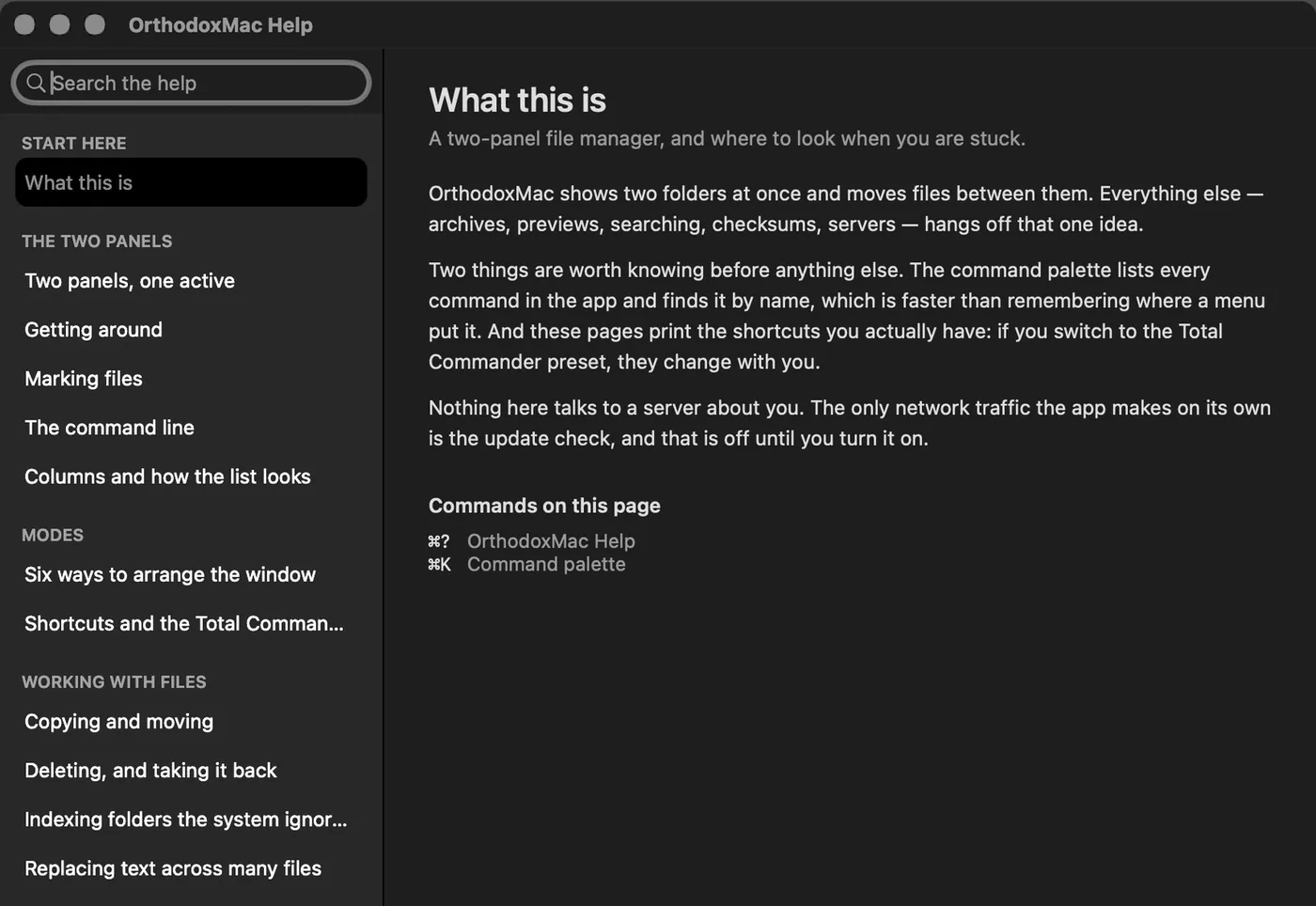
You don't have to take our word for it: nearly everything that matters can be checked from the outside, with tools already on your Mac.
- ✓Zero third-party dependencies. otool -L on the executable: system frameworks only. Nothing to update, nothing to audit, nothing to break notarization.
- ✓Signed and notarized by Apple. spctl -a -vv confirms it before you open it.
- ✓No telemetry, no analytics. There is no tracking code to switch off, because there is none.
- ✓No network connections beyond the ones you start — SFTP, SMB, WebDAV — and the update check, which is off by default and only asks for a version file. Any network monitor shows it: at rest, the app talks to nobody.
14The limits
What it deliberately does not do.
A feature list that leaves out the limits is advertising. These are this app's, and none of them is a pending promise: they are decisions, with their reasons.
It runs nothing when you are not using it
Not the recipes, not the scheduled sync, not the name index — none of them work with the app closed. Scheduling them in the background would mean installing a system agent, and then this sentence would stop being true.
It does not ask for Full Disk Access
Never on its own. Two features need it — the navigable Trash and some cloud folders — and each explains itself the day you use it, or works in a reduced form. A file manager that opens by asking for the keys to everything is indistinguishable from something you should not have installed.
It is not in the Mac App Store
And that is not a complaint: the sandbox the store requires is incompatible with this category. A file manager needs to see the whole disk, mount network volumes, write to the Trash and walk external drives. The alternative would have been a cut-down version pretending to be the same app. It is sold directly, signed and notarised by Apple.
It does not index your disk
The name index is opt-in per folder, the list starts empty, the window says how much space it takes and there is a button to delete it. It holds names, paths, sizes and dates: no contents.
There is no plugin system
And not for lack of time: a stable API demands ABI commitments, isolation and the review of somebody else's code that a closed product by one author cannot sustain — and the first plugin to corrupt your files would be, rightly, this app's problem. The position is scriptable, not extensible: your own commands, AppleScript, Shortcuts and om.
It has no library of its own
No database to export, no format only it understands. If you stop using it tomorrow, your folders are exactly where you left them — which is the only commitment a file manager should ask of you.
One more, small and deliberate: the duplicate finder will not let you delete every copy in a group. It is the only place in the app that knows what a group is, and therefore the only one that can refuse. And the limit people ask about most — what it does with the network and with your data — has its own list further down, with what you can check yourself.
15Questions
What people ask before buying.
What happens when the fourteen days are up?
The app doesn't quit and doesn't lock your files. Keep browsing, searching, comparing and viewing — what needs a license are the write operations. Nothing you did during the trial is lost or trapped.
Does it need an internet connection?
No. The license is an Ed25519-signed key verified entirely offline; no server is asked, not on the first day and not on the last. The update check is off by default, goes over HTTPS and only asks for a version file: it never downloads or runs anything on its own.
Is it on the Mac App Store?
No, and that is why it can do what it does: the store's sandbox doesn't allow full disk access, network volumes, per-volume trash or scanning other people's folders — which is exactly a file manager's job. It is sold directly, as a DMG signed with a Developer ID and notarized by Apple.
I'm coming from Total Commander. Do I lose my shortcuts?
No. In Settings you turn on the Total Commander preset: classic keymap, function-key bar, volume bar and the wording you know. Every shortcut can be reassigned one by one, and the preset lets you pick ⌘ or ⌃ as the modifier for the editing commands.
Are there plugins?
No: what would be a plugin elsewhere is already inside — the FITS session summary and the directory report are examples. In exchange, in an app that touches your whole disk no third-party code runs, and you never wait for someone else to update something after each macOS release.
What about macOS permissions?
They are asked for when they are needed, with the reason in front of you. Without full disk access the app works just the same on everything the system lets it see; what it won't do is pretend it can read something it can't.
What languages is it in?
English and Spanish, both from day one and both verified by running the same binary in each: around 870 keys, with the counted ones in .stringsdict so plurals belong to the language instead of to a concatenation.
Is it accessible with VoiceOver?
Yes, including the views we draw ourselves: the volume pills, the function-key bar, the tab strip and the speed graph all announce themselves by name. Accessibility is a release criterion, not an extra: saying «more capable than the Finder» means reaching where the Finder already reaches.
16Privacy
What the app knows about you: nothing.
This is not a statement of intent, it is a list of what the program does with the network, and you can check it with Activity Monitor open beside it.
No telemetry, no analytics, no accounts. The app does not record what you open, what you search for or how much you use it, and it would have nowhere to send it if it did: this product has no server.
The licence is verified without a network. It is a signed key checked with cryptography on your Mac, on the first day and on the last. There is no online activation, no phoning home, and going offline does not break it.
The only traffic the app makes on its own is the update check, and it ships switched off: turn it on and it fetches one small file over HTTPS with the latest version number, and never downloads or runs anything. Everything else that reaches the network is something you asked for: your server, your bucket, your cloud.
What the app keeps, it keeps on your Mac: preferences, workspaces, your own commands, the colour rules and the log of what you did to your files. All in your user folder, all in files you can read, and the log empties with one button whenever you say so.
Your servers' credentials go to the macOS Keychain and never to a settings file. This page, for its part, carries no analytics and no cookies.
17Getting it
US$19, once. 14-day trial.
It is not on sale yet. The app is finished and in testing; what is missing is Apple's notarised signature and the payment channel. This page exists so you can judge the product before the buy button exists — not to sell you anything today.
Fourteen days with everything open — no account, no card, no connecting to anything. When it ends the app doesn't quit and doesn't lock your files: keep browsing, searching and viewing — only the write operations ask for a license.
The license is verified entirely offline: a signed key the app checks without asking any server, not on the first day and not on the last.
One payment of US$19 and it is yours, with no subscription. Updates within the same major version are included. Billing will be in dollars.
Why it costs 19 and not 149. There are no servers to pay for: the licence is verified on your Mac, there are no accounts, no syncing, nothing that has to stay switched on. What you buy is a binary and the updates of its major version, and that is what it costs to make.
One payment, not a subscription
US$19 and it is yours. Updates within the same major version are included; a future major version will be paid for separately, and said so in advance.
Fourteen full days
No account, no card, and no connecting to anything. When they end it keeps reading, searching and showing you things: what switches off are the operations that write.
The licence does not call home
A key signed with elliptic-curve cryptography, checked on your own Mac. No activation server that can go down, change hands or shut.
No telemetry, and you can check
There is no analytics to turn off because there is none. Any network monitor shows it: at rest the app talks to nobody.
Your files stay files
No library of its own, no database to export. If you stop using it tomorrow, your folders are exactly where you left them.
You write to whoever made it
There is no first-line support form. One email, and the person who wrote the line of code you are talking about answers it.